AUTO-DECELERATION SWITCH
If the control levers are at NEUTRAL, this switch automatically lowers the engine speed and turns on the function to reduce fuel consumption.
Auto-deceleration monitor lights up: Auto-deceleration ON
Auto-deceleration monitor goes out: Auto-deceleration OFF
Each time the switch is pressed, the auto-deceleration is switched between ON and OFF.
- • Function of auto-deceleration
When the auto-deceleration function is ON, if the work equipment and travel levers are returned to the N position, the engine speed will drop after 4 seconds from the operating speed to idle speed.
As a result, fuel consumption can be reduced.
If any lever is operated in this condition, engine speed will return to the previous operating speed to make it possible to perform operations.
WORKING MODE SELECTOR SWITCH
When setting the working mode to P mode, to ensure safety, the buzzer sounds and at the same time, the message in the illustration on the right is displayed.
When setting to the breaker mode, always press function switch F6.
If function switch F5 is pressed, the breaker mode is not set, and the screen returns to working mode selection screen.
WORKING MODE SELECTOR SWITCH
When setting the working mode to E mode, to ensure safety, the buzzer sounds and at the same time, the message in the illustration on the right is displayed.
When setting to the breaker mode, always press function switch F6.
If function switch F5 is pressed, the breaker mode is not set, and the screen returns to working mode selection screen.
WORKING MODE SELECTOR SWITCH
When setting the working mode to L mode, to ensure safety, the buzzer sounds and at the same time, the message in the illustration on the right is displayed.
When setting to the breaker mode, always press function switch F6.
If function switch F5 is pressed, the breaker mode is not set, and the screen returns to working mode selection screen.
WORKING MODE SELECTOR SWITCH
When setting the working mode to B mode, to ensure safety, the buzzer sounds and at the same time, the message in the illustration on the right is displayed.
When setting to the breaker mode, always press function switch F6.
If function switch F5 is pressed, the breaker mode is not set, and the screen returns to working mode selection screen.
TRAVEL SPEED SELECTOR SWITCH
Switch is used to set the travel speed to 3 stages.
- Lo lights up : Low-speed travel
- Mi lights up : Medium-speed travel
- Hi lights up : Hi-speed travel
When the engine is started, the speed is automatically set to Lo.
Each time that the switch is pressed, the display changes Lo o Mi o Hi o Lo in turn.
Even if the travel speed is set to high-speed (Hi) or a mid-range speed (Mi), when traveling on soft ground or uphill, and travel power is needed, the system automatically shifts down to low speed travel (Lo).
There is no need to operate the switch.
In this case, the pilot monitor on the monitor display stays lighted up at Hi (high-speed) or Mi (mid-range speed).
CAMERA SCREEN SELECTOR MODE SWITCH
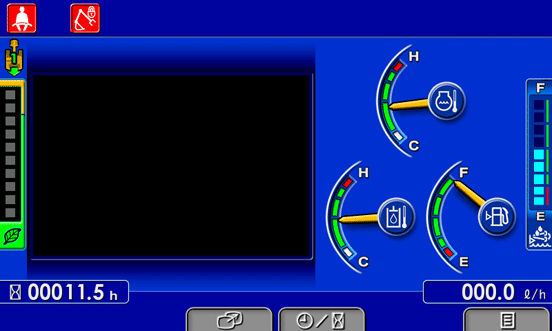
On the standard screen, press switch F3 to switch to the camera screen display.
- • On machines not equipped with a camera, the guidance icon on top of switch F3 is not displayed.
Even if switch F3 is pressed, the screen will not switch to the camera screen display.
- • A maximum of three cameras can be installed.
- • If you want to install another camera, please consult your Komatsu distributor.